SylSmart Standalone Installation

Controlo máximo, instalação mínima

Instalação facilitada

A instalação do SylSmart Standalone é um processo direto, tão simples quanto 1, 2, 3.
Oferece soluções plug-and-play, eliminando a necessidade de fios de controlo extra ou configurações complicadas, reduzindo assim o tempo no local e garantindo o mínimo de perturbação para os funcionários.

Plug and Play

Remove as luminárias antigas e instala as novas luminárias sem fios com capacidade Standalone. Liga a corrente, a terra e o neutro.

Acessórios

Instala sensores, interruptores de parede sem fios e outros dispositivos acessórios.

Configura

Utiliza a aplicação intuitiva disponível tanto para Android como para IOS para configurar o teu sistema.

Adiciona luminárias e personaliza a tua solução

Definições básicas

R
Configuração de rede
R
Emparelhamento
R

Definições de cena e temporizador

electrician installing ceiling light
Businessman works with financial data. Futuristic 3d interface above laptop computer. Interactive financial diagrams and digital data visualization concept. Global e-business network communication

Definições avançadas

R

Escurecimento ligado à luz do dia

R
Perfil circadiano
R
Sensor de presença
R
Configuração do interrutor de parede

Guias de vídeo de comissionamento

Básico

White image gallery icon featuring overlapping photo frames with a landscape and sun symbol inside a green circular background.

Personaliza o teu cenário adicionando a tua própria fotografia

White fast-forward arrow icon featuring two right-pointing chevrons inside a green circular background, representing progression, advancement, navigation, and forward movement.

Criar animações
animações

White focus and targeting icon featuring a central circle surrounded by four corner alignment brackets inside a green circular background.

Define a iluminação
cenas

White timer and scheduling icon featuring a clock face with a single hand enclosed within a green circular background, representing time management, automation, and scheduled operations.

Cria cenas baseadas no tempo

White window icon featuring a double-pane window frame inside a green circular background, representing residential glazing, windows, and building openings.

Configuração
o interrutor de parede

White stopwatch icon featuring a circular timer face and top button enclosed within a green circular background, representing timing, duration tracking, and scheduled processes.

Adiciona temporizadores
add

White motion detection icon featuring a person silhouette, wave signals, and a wall-mounted sensor inside a green circular background.

Configuração
o sensor de presença

Avançado

White organizational hierarchy icon featuring a top-level node connected to three lower nodes inside a green circular background, representing structured systems, network architecture, and management hierarchies.

Configura o controlo
hierarquia

White smart lighting control icon featuring a power button surrounded by radiating light rays inside a green circular background, representing illumination control, energy management, and lighting activation.

Ligado à luz do dia
definições de regulação

White day-night lighting control icon featuring a crescent moon surrounded by radiating rays inside a green circular background, representing automatic lighting schedules, daylight harvesting, and smart illumination management.

Configura o circadiano
perfis

O teu Smart System está pronto a ser utilizado

A configuração básica do teu sistema está agora concluída.
Liga/desliga, escurece ou ajusta a temperatura da cor com um simples toque de um botão.
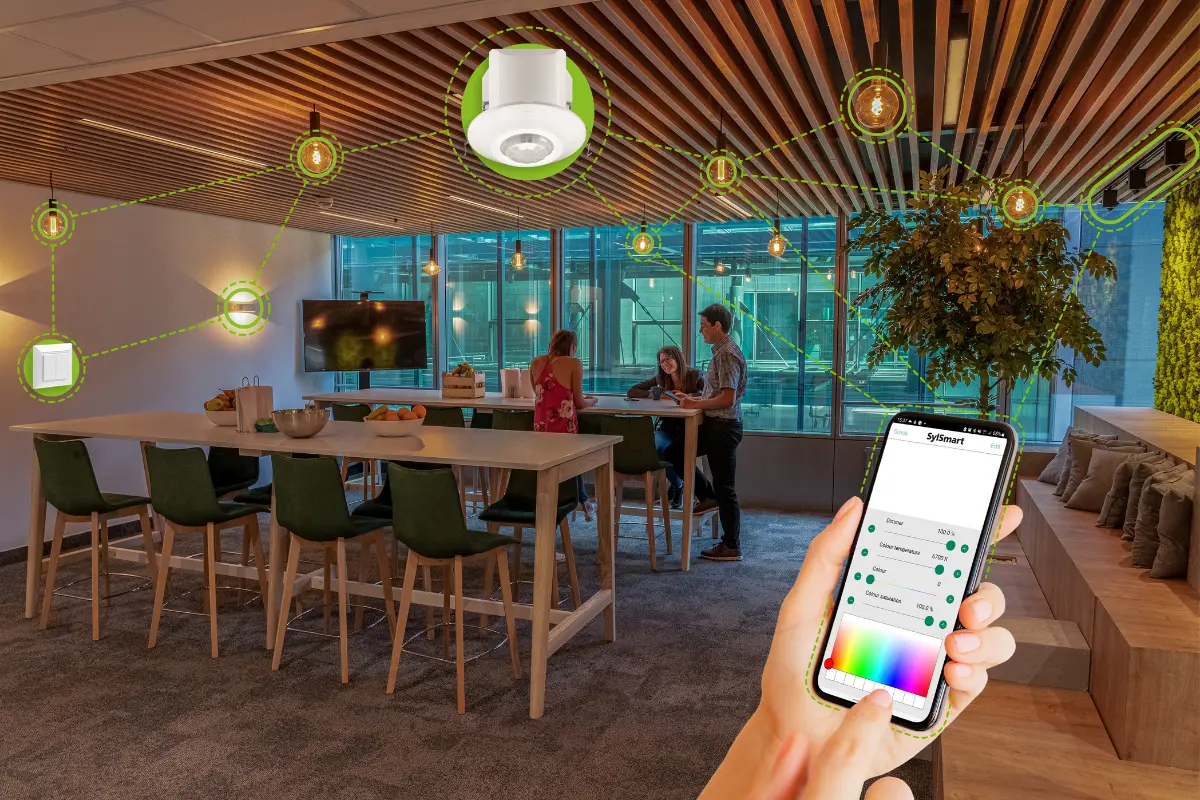
Modern office lounge area with smart lighting system controlled via smartphone, showing connected ceiling lights and devices linked through a digital interface.

We’re here to help!

Whether you have a question, feedback, or need assistance, please feel free to get in touch.