Installation de SylSmart Standalone

Contrôle maximal, installation minimale

Une installation facilitée

L’installation de SylSmart Standalone est un processus direct, aussi simple que 1, 2, 3.
Il offre des solutions prêtes à l’emploi, éliminant le besoin de câbles de contrôle supplémentaires ou de configurations compliquées, ce qui réduit le temps passé sur le site et assure une perturbation minimale pour les employés.

Plug and Play

Retirez les anciens luminaires et installez les nouveaux luminaires sans fil autonomes.
Raccordement de la tension, de la terre et du neutre.

Accessoires

Installez des détecteurs, des interrupteurs muraux sans fil et d’autres dispositifs accessoires.

Configurateur

Utilisez l’application intuitive disponible sur Android et IOS pour configurer votre système.

Ajoutez des luminaires et personnalisez votre solution

Paramètres de base

R
Configuration du réseau
R
Couplage
R

Réglages de la scène et de la minuterie

électricien installant un plafonnier

Paramètres avancés

R

Gradation liée à la lumière du jour

R
Profil circadien
R
Capteur de présence
R
Configuration de l’interrupteur mural

Guides vidéo sur la mise en service

De base

White image gallery icon featuring overlapping photo frames with a landscape and sun symbol inside a green circular background.

Personnalisez votre mise en scène en ajoutant votre propre photo

White fast-forward arrow icon featuring two right-pointing chevrons inside a green circular background, representing progression, advancement, navigation, and forward movement.

Créer des animations
animations

White focus and targeting icon featuring a central circle surrounded by four corner alignment brackets inside a green circular background.

Régler l’éclairage
scènes

White timer and scheduling icon featuring a clock face with a single hand enclosed within a green circular background, representing time management, automation, and scheduled operations.

Créez des scènes temporelles sur le site

White window icon featuring a double-pane window frame inside a green circular background, representing residential glazing, windows, and building openings.

Configuration
l’interrupteur mural

White stopwatch icon featuring a circular timer face and top button enclosed within a green circular background, representing timing, duration tracking, and scheduled processes.

Ajouter des minuteries
add

White motion detection icon featuring a person silhouette, wave signals, and a wall-mounted sensor inside a green circular background.

Setup
le détecteur de présence

Avancé

White organizational hierarchy icon featuring a top-level node connected to three lower nodes inside a green circular background, representing structured systems, network architecture, and management hierarchies.

Configurez la hiérarchie du contrôle

White smart lighting control icon featuring a power button surrounded by radiating light rays inside a green circular background, representing illumination control, energy management, and lighting activation.

Réglages de gradation liés à la lumière du jour

White day-night lighting control icon featuring a crescent moon surrounded by radiating rays inside a green circular background, representing automatic lighting schedules, daylight harvesting, and smart illumination management.

Configuration des profils circadiens

Votre Smart System est maintenant prêt à l’emploi

La configuration de base de votre système est maintenant terminée.
Il vous suffit maintenant d’appuyer sur un bouton pour allumer ou éteindre l’éclairage, régler la luminosité ou la température de couleur.
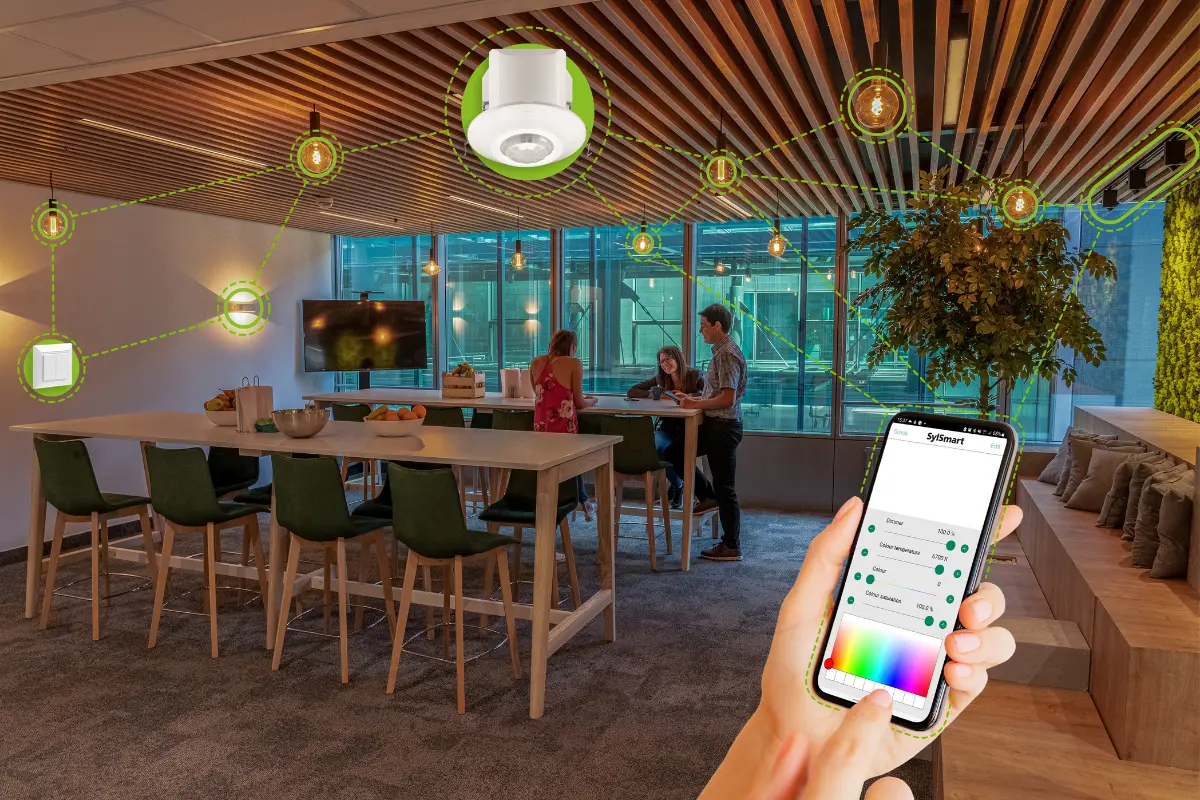
Modern office lounge area with smart lighting system controlled via smartphone, showing connected ceiling lights and devices linked through a digital interface.

We’re here to help!

Whether you have a question, feedback, or need assistance, please feel free to get in touch.