SylSmart Standalone Installation

Maximale Kontrolle, minimale Installation

Installation leicht gemacht

Die Installation von SylSmart Standalone ist kinderleicht und läuft in drei einfachen Schritten ab. Es handelt sich um eine Plug-and-Play-Lösung, die keine zusätzlichen Steuerkabel oder komplizierten Einstellungen benötigt. Dadurch wird die Installationszeit vor Ort verkürzt, und die Arbeit der Mitarbeiter wird nur minimal beeinträchtigt.

Technical illustration showing electrical wires being connected to the N (neutral) and L (live) terminals of a wireless smart switch module. Arrows indicate wire insertion points, with a Wi‑Fi symbol and step 1 icon displayed.

Plug and Play

Entfernen Sie alte Leuchten und installieren Sie neue kabellose Standalone-Leuchten. Anschluss von Spannung, Erde und Nullleiter.

Instructional diagram showing electrical wires labeled N and P/L being connected to the top terminals of a recessed smart lighting module. A downward arrow indicates the wiring insertion process, with step 2 and power icons displayed on the left.

Zubehör

Installieren Sie Sensoren, drahtlose Wandschalter und andere Zusatzgeräte.

Illustration showing a smartphone controlling a wireless wall light switch and ceiling light fixture. Radio signal waves are displayed between the phone and the switch, with Wi‑Fi and step 3 icons on the left side.

Konfigurieren

Nutzen Sie die intuitive Anwendung, die sowohl für Android als auch für IOS verfügbar ist, um Ihr System zu konfigurieren.

Fügen Sie Leuchten hinzu und passen Sie Ihre Lösung an

Grundeinstellungen

R
Netzwerk einrichten
R
Kopplung
R

Einstellungen für Szenen und Timer

Elektriker installiert Deckenleuchte
Geschäftsmann arbeitet mit Finanzdaten. Futuristisches 3d-Interface über Laptop-Computer. Interaktive Finanzdiagramme und digitales Datenvisualisierungskonzept. Globale E-Business-Netzwerk-Kommunikation

Erweiterte Einstellungen

R

Tageslichtabhängiges Dimmen

R
Zirkadianes Profil
R
Anwesenheitssensor
R
Wandschalter einrichten

Videoanleitungen zur Inbetriebnahme

Basic

White image gallery icon featuring overlapping photo frames with a landscape and sun symbol inside a green circular background.

Personalisieren Sie Ihre Szenerie, indem Sie Ihr eigenes Foto hinzufügen.

White fast-forward arrow icon featuring two right-pointing chevrons inside a green circular background, representing progression, advancement, navigation, and forward movement.

Animationen erstellen
Animationen

White focus and targeting icon featuring a central circle surrounded by four corner alignment brackets inside a green circular background.

Beleuchtung einstellen
Szenen

White timer and scheduling icon featuring a clock face with a single hand enclosed within a green circular background, representing time management, automation, and scheduled operations.

Erstellen Sie zeitbasierte
Szenen

White window icon featuring a double-pane window frame inside a green circular background, representing residential glazing, windows, and building openings.

Einrichtung
der Wandschalter

White stopwatch icon featuring a circular timer face and top button enclosed within a green circular background, representing timing, duration tracking, and scheduled processes.

Timer hinzufügen
hinzufügen

White motion detection icon featuring a person silhouette, wave signals, and a wall-mounted sensor inside a green circular background.

Einrichtung
der Anwesenheitssensor

Advanced

White organizational hierarchy icon featuring a top-level node connected to three lower nodes inside a green circular background, representing structured systems, network architecture, and management hierarchies.

Einrichten der Steuerung
Hierarchie

White smart lighting control icon featuring a power button surrounded by radiating light rays inside a green circular background, representing illumination control, energy management, and lighting activation.

Tageslicht-abhängige
Dimmeinstellungen

White day-night lighting control icon featuring a crescent moon surrounded by radiating rays inside a green circular background, representing automatic lighting schedules, daylight harvesting, and smart illumination management.

Zirkadiane Profile einrichten

Ihr Smart System ist jetzt einsatzbereit

Die Grundeinstellung Ihres Systems ist nun abgeschlossen. Das Ein- und Ausschalten, Dimmen oder die Einstellung der Farbtemperatur funktioniert jetzt mit einem einfachen Tastendruck.
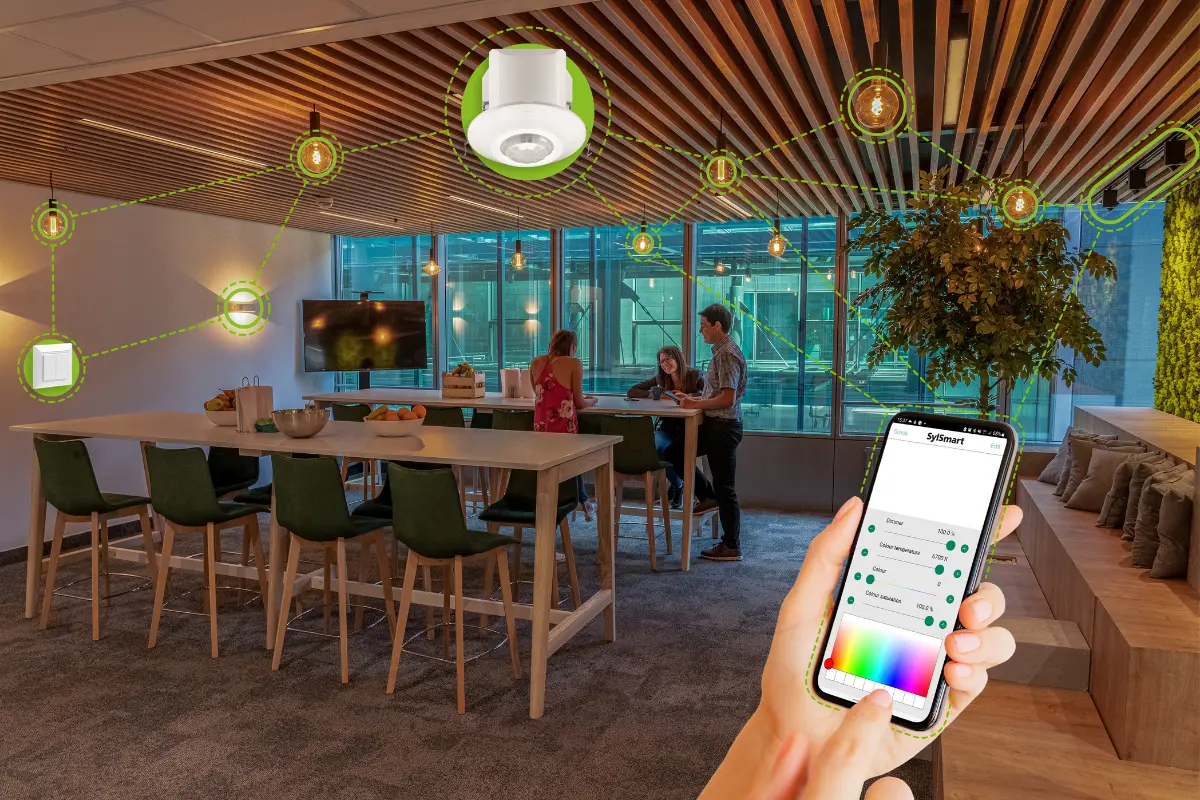
Modern office lounge area with smart lighting system controlled via smartphone, showing connected ceiling lights and devices linked through a digital interface.

Wir sind für Sie da!

Wenn Sie eine Frage haben, uns Feedback geben möchten oder Hilfe benötigen, können Sie sich gerne an uns wenden.